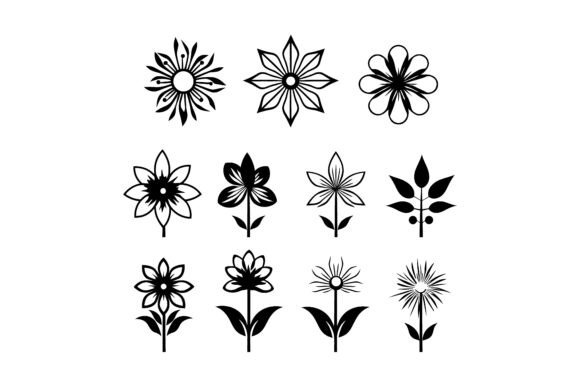
Choosing the Right Decorative Flower Icon Silhouette for Your Design Projects
In the world of graphic design, the difference between a cluttered layout and a polished brand identity often comes down to the quality of the assets used. Among the most versatile tools in a designer's toolkit is the decorative flower icon silhouette. These minimalist representations strip away unnecessary detail to focus on form, shape, and negative space. While they may appear simple at first glance, selecting the right set involves understanding file formats, editability, and how these elements fit into broader design strategies compared to other illustration styles.
Defining the Minimalist Flower Icon Silhouette
A minimalist flower icon silhouette is defined by its lack of internal detail. Unlike realistic botanical illustrations that showcase petals, stamens, and texture gradients, a silhouette reduces the subject to a solid shape, usually black or a single flat color. This approach offers immediate visual clarity, making it ideal for logos, app icons, and user interface elements where recognition at small sizes is crucial.
What makes a premium decorative flower icon silhouette distinct from free clipart found on generic stock sites is the precision of the vector paths. High-quality sets are crafted with clean anchor points and smooth curves, ensuring that the shape remains crisp whether scaled down for a favicon or enlarged for a billboard. The "decorative" aspect often implies a stylized interpretation rather than a strictly scientific one, allowing for creative flourishes that add personality without sacrificing the clean lines essential to minimalism.
Evaluating File Formats: Why EPS 10 Matters
When comparing resources, the file format is often the most critical decision factor. Many beginners opt for PNG or JPEG files due to their ubiquity, but these raster formats have significant limitations. Once a raster image is enlarged beyond its original resolution, it becomes pixelated and unusable for professional print work. In contrast, a professional package offering an EPS 10 file provides a vector-based solution.
The EPS (Encapsulated PostScript) format, particularly version 10, maintains compatibility with a wide range of design software, including industry standards like Adobe Illustrator and older versions of CorelDRAW. This compatibility ensures that you are not locked out of using your assets if you do not have the latest software subscription. More importantly, vector files allow for easy color changes. With a single click, a designer can shift a silhouette from a standard black to a brand-specific hex code, gradient, or pattern fill without losing edge definition.
Comparison: Vector Silhouettes vs. Hand-Drawn Sketches
Designers often weigh the choice between clean silhouettes and hand-drawn sketches. Each serves a different purpose:
- Silhouettes: Best for corporate branding, tech startups, and applications requiring high legibility. They convey stability and professionalism.
- Hand-Drawn Sketches: Ideal for artisanal products, wedding invitations, or brands wanting a whimsical, organic feel. However, they can be difficult to scale and may lack the consistency needed for a cohesive icon set.
If your project requires a unified system where every icon shares the same stroke weight and visual weight, a decorative flower icon silhouette set is generally the superior choice. Hand-drawn elements vary naturally, which can create visual noise in a structured grid layout.
Practical Applications and Best-Fit Scenarios
Understanding where to deploy these assets is key to maximizing their value. A comprehensive package of editable design elements empowers you to tailor artwork for diverse scenarios. Here are three primary use cases where these silhouettes excel:
- Branding and Logo Design: A simplified flower shape can serve as the cornerstone of a logo for a florist, wellness center, or eco-friendly product line. The ability to modify the shape means you can combine multiple silhouettes to create a unique monogram.
- Print Media: From business cards to packaging, vector silhouettes print sharply on any material. They are particularly effective for foil stamping or embossing, where fine details might get lost, but bold shapes remain distinct.
- Digital Interfaces: In web and app design, loading speed and clarity are paramount. SVGs derived from EPS files load instantly and look perfect on retina displays, making them a practical alternative to heavy photographic assets.
Limitations and When to Look Elsewhere
While versatile, the decorative flower icon silhouette is not a universal solution. If a project demands emotional depth through texture, shading, or realistic lighting effects, a flat silhouette may feel too sterile. For example, a children's book illustration about nature might benefit more from watercolor textures or detailed line art that shows the complexity of a blooming rose.
Additionally, if the target audience associates the brand with luxury and intricacy, a overly simplistic icon might fail to convey the perceived value of the product. In such cases, designers might need to layer silhouettes with other design elements or opt for more complex illustrative styles. It is also worth noting that while fully editable design elements offer control, they require a baseline knowledge of vector editing software. Users unfamiliar with bezier curves and anchor points may find the learning curve steeper than simply dragging and dropping a pre-rendered PNG.
Making an Informed Decision
When evaluating a graphic set, look beyond the preview images. Check the documentation to ensure the package includes EPS 10 files and confirms that all elements are grouped logically for easy editing. A high-quality set will allow you to isolate individual petals or stems, giving you complete control over every detail. This level of granularity ensures the perfect fit for a diverse range of creative projects, allowing you to deconstruct and rebuild the icons to suit specific spatial constraints.
Consider the long-term scalability of your project. Will this icon need to appear on a mobile screen today and a building signage tomorrow? If so, the investment in a professional, vector-based silhouette set is justified. Designs that delight your audience often do so because of their consistency and clarity, traits that are inherent to well-crafted silhouettes.
Ultimately, elevating your artistic journey involves choosing tools that remove friction from the creative process. Whether you are a seasoned professional looking to streamline your workflow or a hobbyist aiming to bring a creative vision to life in vibrant style, the right asset library acts as a foundation rather than a constraint. By selecting a resource that balances aesthetic appeal with technical flexibility, you ensure that your final output meets high creative standards while remaining adaptable to future needs.
Thank you for exploring the nuances of design assets. Making informed choices about the resources you use—understanding the tradeoffs between style and functionality—is what separates good design from great design. May your next project be inspired by the perfect balance of simplicity and elegance.